
AI Melanoma Check from Photo & Scanner



Melanoma Detection App AI Melanoma Scanner & Check from Photo
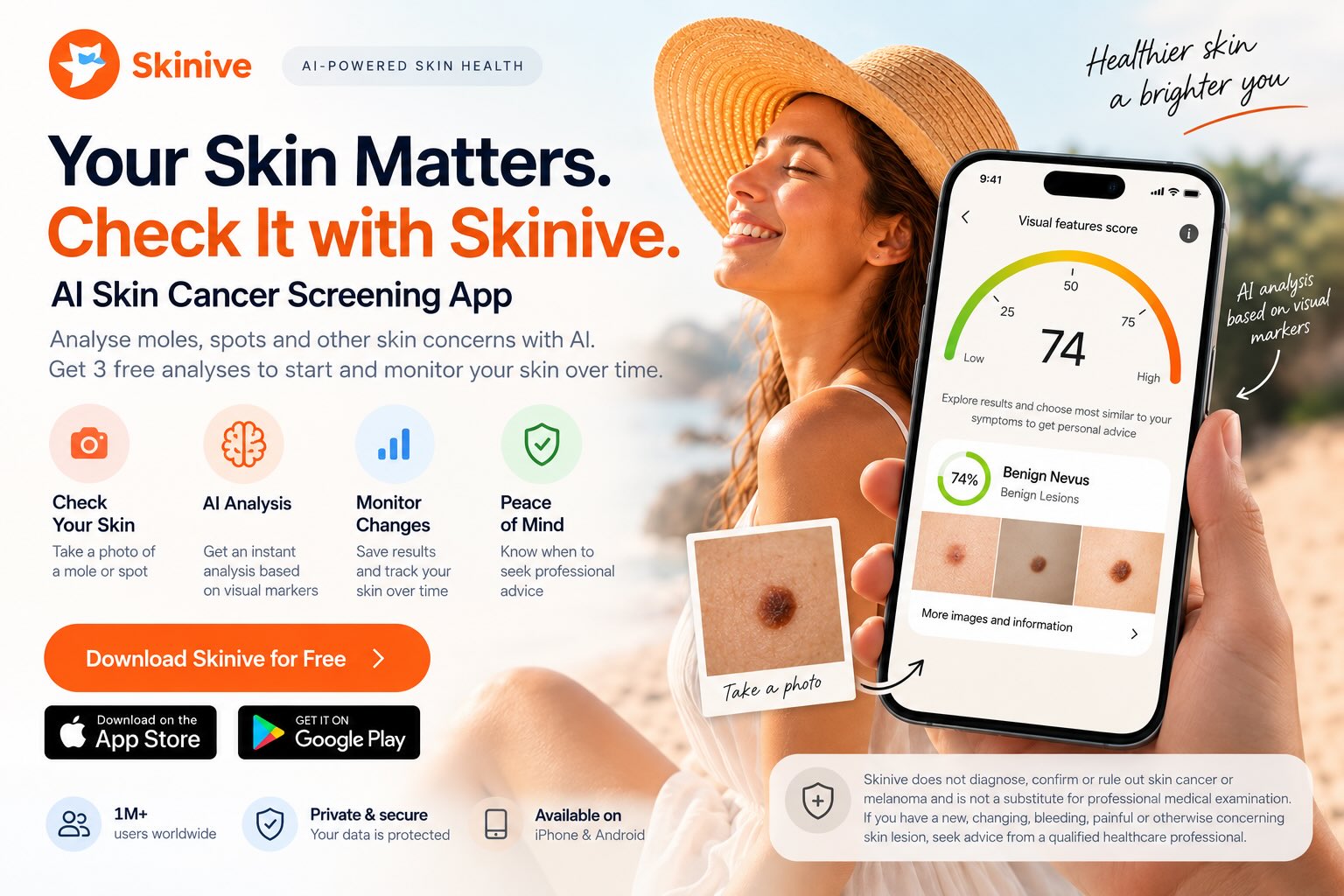
Looking for a melanoma detection app, melanoma scanner or online melanoma check? Skinive uses AI-assisted image analysis to help you check and monitor visible skin spots from your smartphone. Take a photo, receive an analysis of visual characteristics and save your checks to monitor changes over time.
Skinive can support regular skin awareness and help identify visual features that may deserve closer attention. It does not diagnose, confirm or rule out melanoma and should not replace examination by a qualified healthcare professional.
If a skin spot is new, changing, bleeding, itching, painful or otherwise concerning, seek professional medical advice regardless of an app result.
(Available for iPhone and Android)
Melanoma app: Quick summary
|
Question |
Short answer |
|---|---|
|
Can Skinive analyse a skin spot from a photo? |
Yes |
|
Does Skinive use AI image analysis? |
Yes |
|
Can I save and monitor previous checks? |
Yes |
|
Can I start with free AI analyses? |
Yes |
|
Does Skinive diagnose melanoma? |
No |
|
Can Skinive rule out melanoma? |
No |
|
Does an app replace a dermatologist? |
No |
|
Available on iPhone and Android? |
Yes |
What Is a Melanoma Detection App?
A melanoma detection app generally refers to a smartphone application designed to analyse, photograph or monitor visible skin spots that users may be concerned about.
Different apps work in different ways. Some primarily store photographs, while others use artificial intelligence to analyse visual characteristics in skin images.
Skinive uses AI-assisted image analysis. You photograph the visible skin concern using your smartphone, and the technology analyses characteristics present in the image.
This can provide useful additional information for skin awareness and monitoring.
However, AI image analysis is not the same as a melanoma diagnosis.
A photograph cannot provide all of the information available during a professional medical examination, and an app result should never be interpreted as confirmation that a lesion is melanoma or reassurance that melanoma has been excluded.
How Does Skinive AI Melanoma Detection Work?
Skinive makes AI-assisted skin checking accessible from a smartphone.
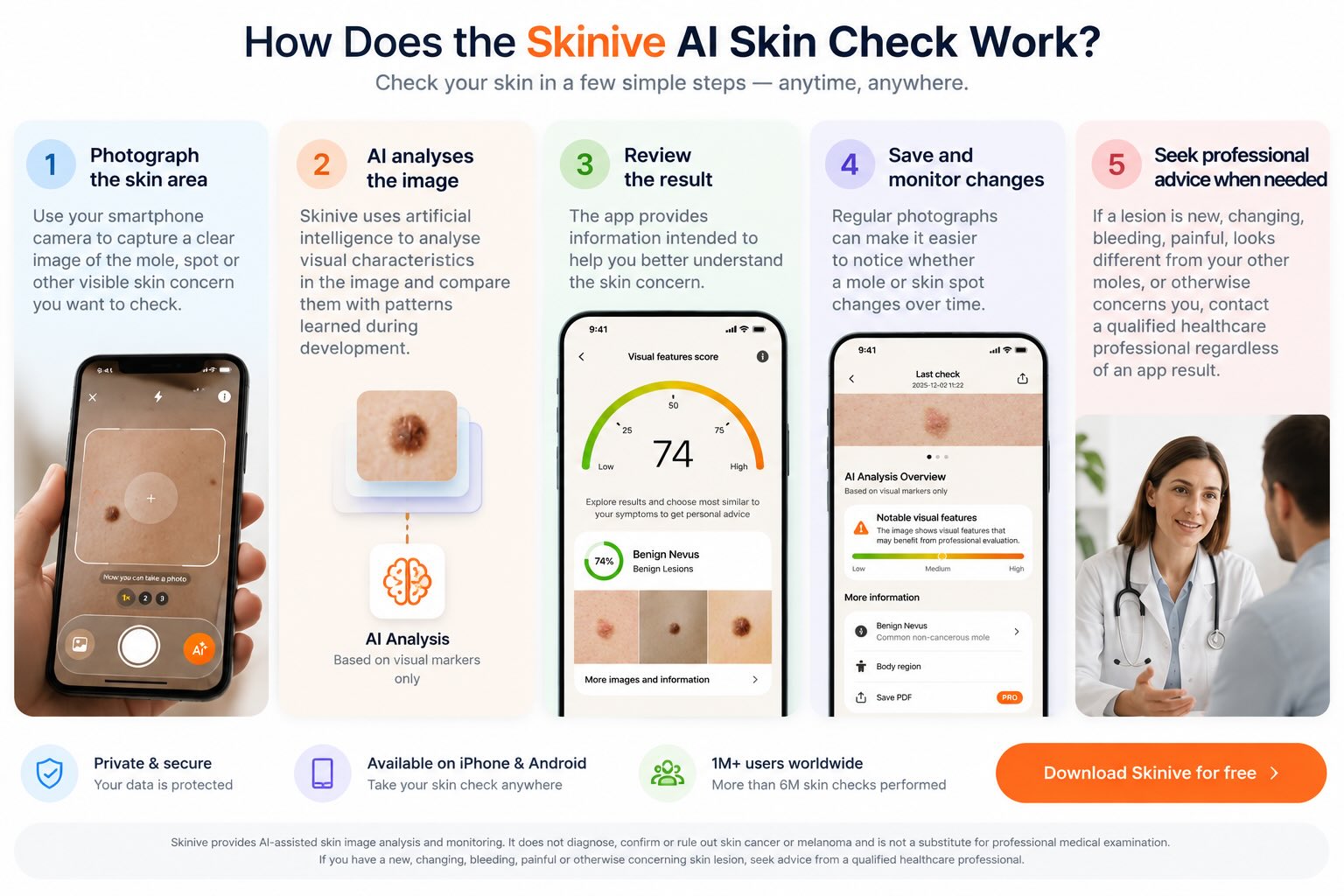
1. Photograph the skin area
Take a clear photograph of the visible skin spot you want to check.
2. AI analyses the image
Skinive’s artificial intelligence analyses visual characteristics and patterns present in the photograph.
3. Review your result
The app provides information intended to help you better understand the visible skin concern.
4. Save your check
Keep previous analyses and photographs so you have a visual record of the area.
5. Monitor visible changes
Return to the same skin area later and compare how it looks over time.
6. Seek professional advice when appropriate
If you notice something new, changing or otherwise concerning, contact a qualified healthcare professional regardless of the AI result.
TRY THE AI SKIN & MOLE CHECKER
Melanoma Check App: What Can You Check With AI?
People searching for a melanoma check app are often looking for a quick way to get more information about a visible skin spot.
AI image analysis can examine characteristics visible in a photograph, such as patterns involving shape, borders, pigmentation, colour distribution and other image features.
Skinive can therefore be useful for:
- analysing visible skin characteristics;
- keeping a record of previous checks;
- monitoring a skin area over time;
- supporting regular skin awareness;
- providing additional information that may help you decide whether to seek professional advice.
The important distinction is between checking and diagnosing.
Skinive can help you check and monitor visible skin concerns. It cannot establish whether a person has melanoma.
Melanoma Scanner App: How Does AI Image Analysis Work?
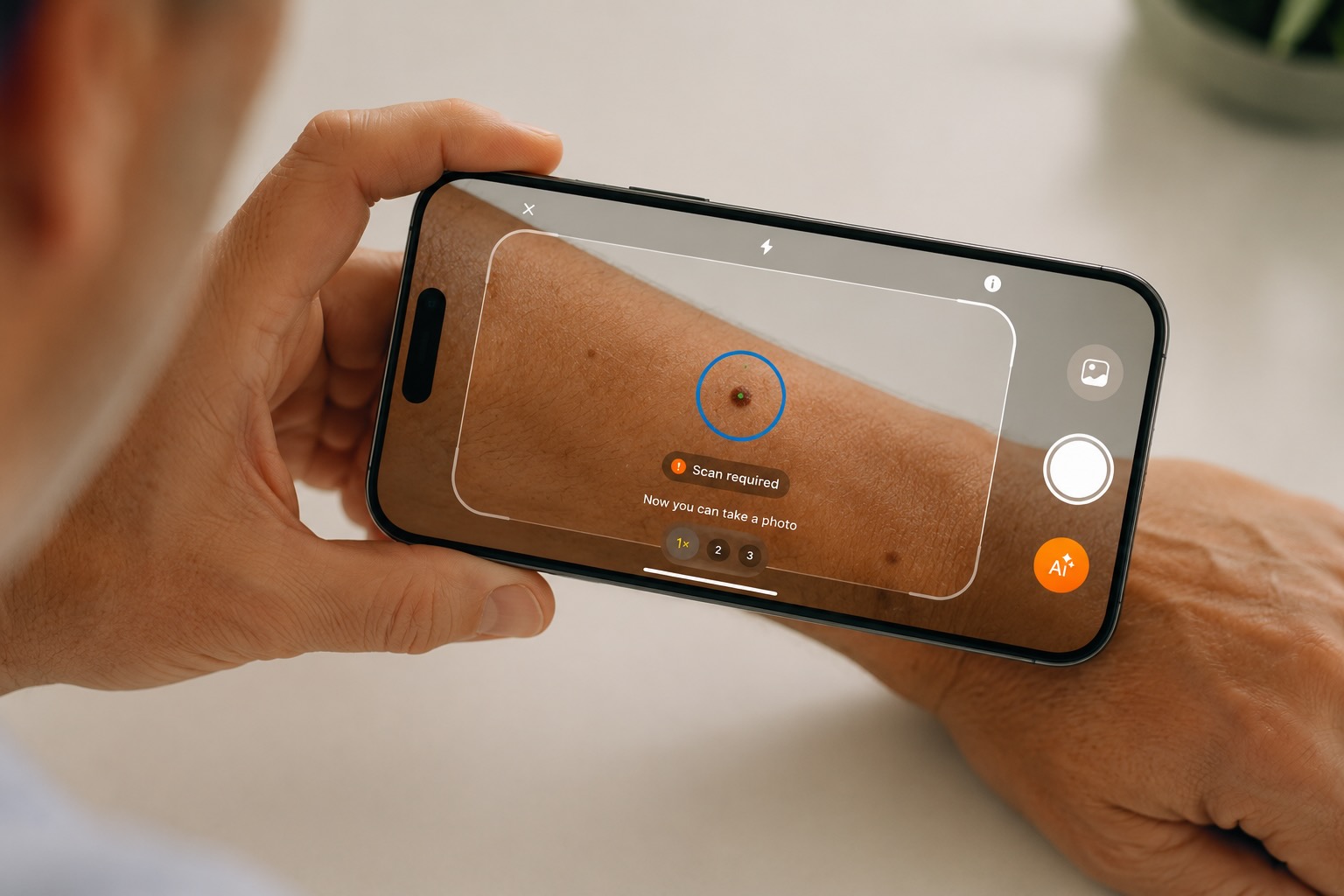
A melanoma scanner app generally uses a smartphone camera or uploaded image as the starting point for analysis.
With Skinive, computer-vision technology processes information contained in the photograph and analyses visual patterns learned during development of the AI system.
This makes it possible to perform skin image analysis directly from a smartphone.
But an AI scanner has limitations.
Image quality, lighting, camera position and the characteristics of the photographed area can affect the information available to an image-analysis system. Some medically important information may also not be visible in an ordinary smartphone photograph.
Skinive’s 2026 internal validation report evaluated its algorithm on a fixed validation dataset of 27,829 skin images. For the combined category of precancerous and malignant skin neoplasms, the report gives 2026 sensitivity of 91.9% and specificity of 94.8%. These figures describe performance on the validation dataset and should not be interpreted as a guarantee for an individual lesion or as a substitute for clinical diagnosis.
Read the Skinive Accuracy Report 2026 →
Melanoma Test App: Can You Test for Melanoma With Your Phone?
People frequently search for a melanoma test app or melanoma test online when they notice something on their skin and want an immediate answer.
A smartphone can be used to photograph a visible skin concern and obtain AI-assisted image analysis.
However, this should not be confused with a medical melanoma test.
There is no smartphone photo analysis that should be treated as definitive confirmation or exclusion of melanoma.
A qualified healthcare professional can consider information unavailable to an app and determine whether further examination or testing is necessary.
So if you search for “test melanoma online”, it is useful to think of an AI app as a preliminary skin-awareness tool rather than an online diagnostic test.
Melanoma Detector App: Can an App Detect Melanoma?
The term “melanoma detector app” is commonly used when searching for apps that analyse photographs of suspicious skin lesions.
Artificial intelligence can analyse visual patterns in skin photographs and provide information about the characteristics identified in an image.
That does not mean an app can definitively determine whether a person has melanoma.
This distinction matters.
The FDA’s approach to health software is function-specific. Software performing patient-specific analysis and providing outputs intended for diagnosis can fall within medical-device oversight, depending on the function and intended use.
Skinive should therefore be used according to its intended purpose as an AI-assisted skin analysis and monitoring tool, rather than as a replacement for professional diagnosis.
ABCDE Melanoma: What Is the ABCDE Rule?
The ABCDE rule for melanoma is a widely used method for remembering visible characteristics that may warrant professional attention.
The American Academy of Dermatology describes the ABCDEs as Asymmetry, Border, Colour, Diameter and Evolving. Source
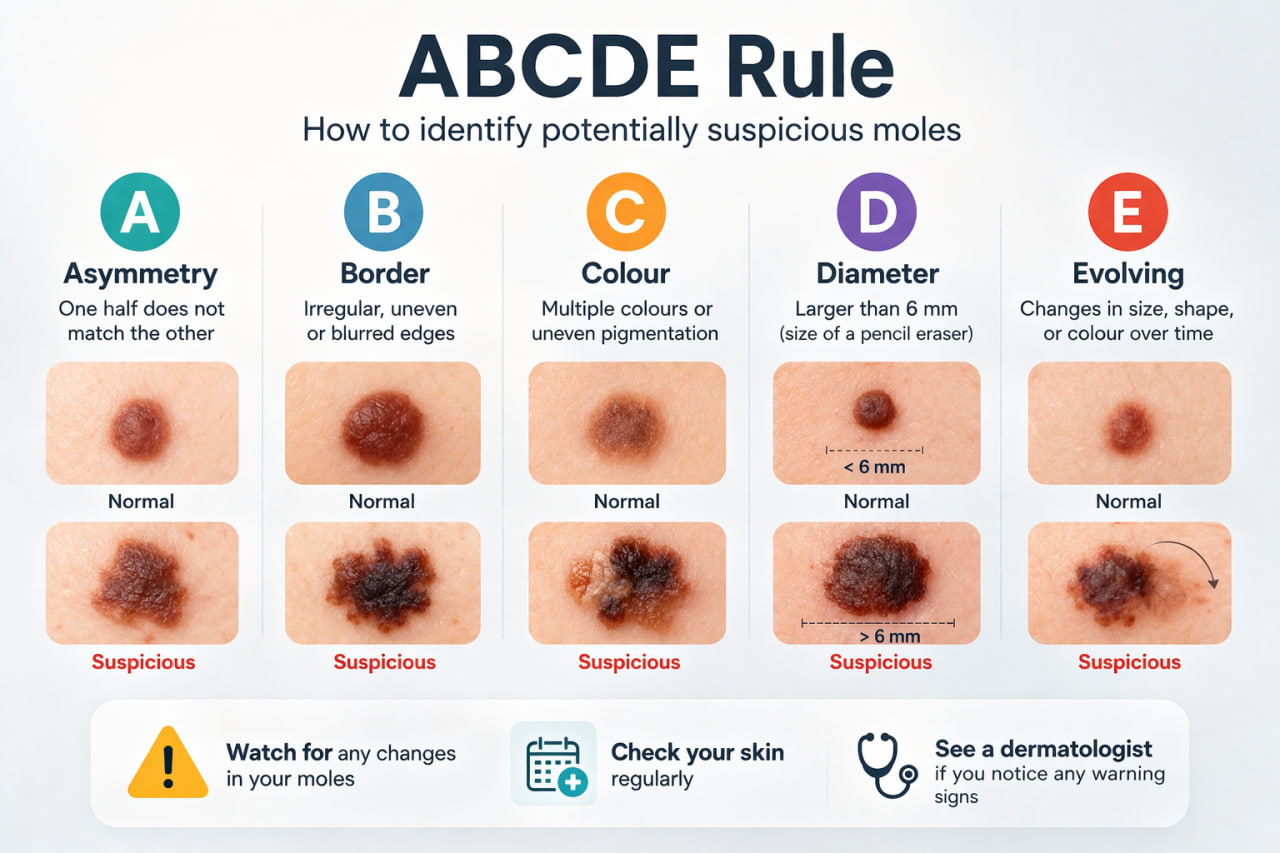
ABCDE Rule: Skin cancer self-examination
|
ABCDE |
What to look for |
|---|---|
|
A — Asymmetry |
One half of the spot looks different from the other |
|
B — Border |
An irregular, scalloped or poorly defined border |
|
C — Colour |
Colour varies from one area to another |
|
D — Diameter |
Melanomas are often over 6 mm when diagnosed, although they can be smaller |
|
E — Evolving |
The spot changes in size, shape, colour or looks different from the others |
Of these signs, change is particularly important. A new spot or one that changes in size, shape or colour should receive attention. Another warning sign is a lesion that looks noticeably different from the person’s other spots — sometimes described as the “ugly duckling” sign.
The ABCDE rule is a guide, not a diagnostic test. Not every melanoma follows these characteristics, and many benign moles may display one or more of them.
Melanoma Checker Online: Can You Check Your Skin Online?
A melanoma checker online allows users to obtain information about a visible skin concern without starting with an in-person appointment.
With an AI-assisted service, the process can begin with a photograph taken on your smartphone.
Skinive provides this type of image analysis directly through the app:
Photo → AI analysis → Result → Save → Monitor
This can be particularly useful for keeping track of visible skin concerns over time.
However, an online melanoma check is not equivalent to a medical examination.
If you have a new, changing or concerning lesion, an online result should not delay professional medical evaluation.
Melanoma Test Online: What Can an Online Test Tell You?
Searches such as:
melanoma test online
test melanoma online
melanoma checker online
often reflect the same question:
“Can I find out whether this skin spot is melanoma without visiting a doctor?”
An online or app-based image analysis can provide information about characteristics visible in a photograph.
It cannot provide a definitive melanoma diagnosis.
A more useful way to think about an online AI skin check is:
Analyse → Understand → Monitor → Seek professional advice when needed.
Not:
Photo → Cancer diagnosis.
Free Melanoma Detection App: Can You Start for Free?
Yes. Skinive can be downloaded for free, and new users can start with 3 free AI skin analyses.
This allows you to try the image-analysis technology on visible skin concerns before deciding whether you need additional checks or premium functionality.
A free Skinive analysis can help you:
- photograph a skin concern;
- receive AI-assisted visual analysis;
- save the result;
- begin monitoring the area.
Whether an AI analysis is free or paid does not change its medical limitations: it should not be interpreted as a diagnosis of melanoma.
Melanoma Detection App vs Professional Skin Examination
An AI melanoma app and a healthcare professional perform different roles.
|
AI Skin Analysis |
Professional Medical Examination |
|---|---|
|
Analyses a photograph |
Examines the patient |
|
Evaluates visible image characteristics |
Considers clinical characteristics |
|
Can be used from a smartphone |
Provides professional medical assessment |
|
Saves previous checks |
Can perform additional examination when appropriate |
|
Helps monitor visible changes |
Determines whether further testing is needed |
|
Supports skin awareness |
Can establish a medical diagnosis |
|
Cannot confirm or rule out melanoma |
Can arrange further investigation when indicated |
Skinive is therefore best used to support awareness and monitoring, not to replace professional medical care.
When Should You Seek Professional Advice?
Do not wait for an AI app result if something about your skin concerns you.
Consider professional medical evaluation if you notice a spot that is:
- new;
- changing;
- noticeably different from your other skin spots;
- itching;
- bleeding;
- painful;
- growing;
- not healing.
AAD similarly advises seeing a dermatologist for new spots, spots that differ from others, or spots that are changing, itching or bleeding.
And remember that melanoma can occur in places that receive little sun exposure, including beneath a nail or on the sole of the foot.
Find a Dermatologist Near You →